0
0 Ulasan
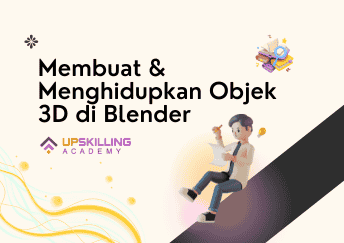
Blender untuk Game Developer: Membuat dan Menghidupkan Objek 3D yang Mendetail
Buat Objek 3D yang Mengagumkan untuk Game Anda dengan Blender

Instruktur
Grant Abbitt (Gabbitt)
Kategori
- Deskripsi
- Materi
- Ulasan
Apa yang akan Anda pelajari
|
☑️ Pembuatan objek 3D mendetail menggunakan Blender. ☑️ Teknik skulptur untuk elemen kompleks seperti ukiran dan tekstur permukaan. ☑️ Retopologi untuk optimasi model 3D dalam game. |
☑️ Pembuatan dan pengaplikasian normal maps, ambient occlusion, dan metallic maps. ☑️ Teknik PBR untuk tekstur realistis. ☑️ Dasar-dasar pembuatan, rigging, dan animasi karakter game. |
Kursus ini dirancang untuk membantu Anda menguasai teknik pembuatan objek 3D tingkat lanjut menggunakan Blender. Anda akan belajar membuat objek 3D yang mendetail, seperti kapak, dengan fokus pada skulptur, retopologi, pemetaan tekstur, dan teknik PBR (Physically Based Rendering). Kursus ini juga mencakup pengenalan pembuatan karakter game, dari permodelan hingga animasi.
Detailed Game Assets
-
11. Part 1 - Base MeshPratinjau 11:39
-
22.Part 2 - Axe Head Base MeshPratinjau 11:28
-
33. Part 3 - Axe Handle Base MeshPratinjau 10:13
-
44. Part 4 - Build a Base Mesh or Straight to Sculpt?Pratinjau 9:09
-
55. Part 5 - Start Sculpting Handle and Straps12:09Sorry, this lesson is currently locked. You need to complete "4. Part 4 - Build a Base Mesh or Straight to Sculpt?" before accessing it.
-
66. Part 6 - Hard Surface Sculpting Tips8:27Sorry, this lesson is currently locked. You need to complete "5. Part 5 - Start Sculpting Handle and Straps" before accessing it.
-
77. Part 7- Sculpting Intricate Shapes7:28Sorry, this lesson is currently locked. You need to complete "6. Part 6 - Hard Surface Sculpting Tips" before accessing it.
-
88. Part 8 - Sculpting the Runes9:06Sorry, this lesson is currently locked. You need to complete "7. Part 7- Sculpting Intricate Shapes" before accessing it.
-
99. Sculpting Details with Masks6:53Sorry, this lesson is currently locked. You need to complete "8. Part 8 - Sculpting the Runes" before accessing it.
-
1010. Part 9 - Sculpting with Textures13:01Sorry, this lesson is currently locked. You need to complete "9. Sculpting Details with Masks" before accessing it.
-
1111. Part 10 - Sculpting Damage - Handle13:17Sorry, this lesson is currently locked. You need to complete "10. Part 9 - Sculpting with Textures" before accessing it.
-
1212. Part 11 - Retopology Setup17:10Sorry, this lesson is currently locked. You need to complete "11. Part 10 - Sculpting Damage - Handle" before accessing it.
-
1313. Part 12 - Complex Retopology10:27Sorry, this lesson is currently locked. You need to complete "12. Part 11 - Retopology Setup" before accessing it.
-
1414. Part 13 - More Complex Retopology12:01Sorry, this lesson is currently locked. You need to complete "13. Part 12 - Complex Retopology" before accessing it.
-
1515. Part 14 - More Tips on Retopology20:05Sorry, this lesson is currently locked. You need to complete "14. Part 13 - More Complex Retopology" before accessing it.
-
1616. Part 15 - Joining the Low Poly Mesh9:20Sorry, this lesson is currently locked. You need to complete "15. Part 14 - More Tips on Retopology" before accessing it.
-
1717. Part 16 - Unwrapping Tips12:46Sorry, this lesson is currently locked. You need to complete "16. Part 15 - Joining the Low Poly Mesh" before accessing it.
-
1818. Part 17 - Normal Maps in Detail11:16Sorry, this lesson is currently locked. You need to complete "17. Part 16 - Unwrapping Tips" before accessing it.
-
1919. Part 18 - Ambient Occlusion Maps in Detail4:15Sorry, this lesson is currently locked. You need to complete "18. Part 17 - Normal Maps in Detail" before accessing it.
-
2020. Part 19 - Cavity Maps in Detail11:24Sorry, this lesson is currently locked. You need to complete "19. Part 18 - Ambient Occlusion Maps in Detail" before accessing it.
-
2121. Part 20 - Metallic Maps in Detail5:53Sorry, this lesson is currently locked. You need to complete "20. Part 19 - Cavity Maps in Detail" before accessing it.
-
2222. Part 21 - PBR Texture Painting Setup6:41Sorry, this lesson is currently locked. You need to complete "21. Part 20 - Metallic Maps in Detail" before accessing it.
-
2323. Part 22 - Texture Painting PBR11:07Sorry, this lesson is currently locked. You need to complete "22. Part 21 - PBR Texture Painting Setup" before accessing it.
-
2424. Easy Realist Low Poly Trees - Blender 314:52Sorry, this lesson is currently locked. You need to complete "23. Part 22 - Texture Painting PBR" before accessing it.
-
2525. How to Create, Rig & Animate a Low Poly Rabbit18:56Sorry, this lesson is currently locked. You need to complete "24. Easy Realist Low Poly Trees - Blender 3" before accessing it.
-
2626. Creating a Game Character - The Rogue - Blender 320:05Sorry, this lesson is currently locked. You need to complete "25. How to Create, Rig & Animate a Low Poly Rabbit" before accessing it.
Membuat Objek Game 3D Mendetail (Kapak) untuk Lingkungan Game
Silahkan, login untuk menulis review
×
1. Part 1 - Base Mesh
11:39
2.Part 2 - Axe Head Base Mesh
11:28
3. Part 3 - Axe Handle Base Mesh
10:13
4. Part 4 - Build a Base Mesh or Straight to Sculpt?
9:09
Bagikan
Detail Kursus
Durasi
5 jam 15 menit
Materi
26
Video
4 jam 59 menit 8 detik
Tugas
1
Level
Mudah
Terpopuler

Jam Kerja
| Monday | 07.00 WIB - 16.00 WIB |
| Tuesday | 08.00 WIB - 15.00 WIB |
| Wednesday | 06.00 WIB - 15.00 WIB |
| Thursday | 07.00 WIB - 16.00 WIB |
| Friday | 08.00 WIB - 15.00 WIB |
| Saturday | Closed |
| Sunday | Closed |